The Unglamorous Stuff That Actually Makes You a Pro: Building the Technical Backbone of a Digital Art Career
Let's be honest — when you picture a successful digital artist, you're probably imagining stunning portfolio pieces, a loyal following, and a steady stream of clients sliding into the DMs. You're probably not imagining a color-coded file naming system or a three-location backup protocol.
But here's the thing: that second image is often what makes the first one possible.
The artists who build sustainable careers in digital illustration, concept art, or any creative field aren't just talented. They've built a technical foundation that most people never talk about — because it's not particularly exciting to photograph. It doesn't get likes. But it absolutely gets repeat clients, smooth project deliveries, and creative output that doesn't get derailed by a single hard drive failure.
So let's talk about the infrastructure. The real stuff.
Why Technical Chaos Kills Creative Careers (Even Talented Ones)
There's a painful pattern that plays out more often than most people admit. A genuinely gifted artist starts picking up clients. Work comes in, deadlines stack up, and suddenly they're hunting through a desktop full of files named "final_FINAL_v3_USE THIS ONE.psd" at 11 PM. A client asks for a revision on a project from eight months ago, and the source file is... somewhere. Maybe on an old laptop. Maybe not backed up.
This isn't a story about laziness. It's a story about infrastructure — specifically, the absence of it.
Technical disorganization creates a kind of invisible tax on your creative energy. Every minute spent hunting for a file is a minute not spent making art. Every crashed project without a backup is a potential career-defining disaster. And every time a client has to wait longer than expected because your workflow fell apart behind the scenes, you're quietly chipping away at the trust that keeps them coming back.
The artists who scale past hobbyist status aren't necessarily more talented. They're more organized at a technical level.
File Management: The System You Actually Need
A solid file management system doesn't need to be elaborate. It needs to be consistent.
Most working digital artists settle into a folder structure that mirrors their project types — separate directories for client work, personal projects, reference materials, and assets like brushes, textures, and fonts. Within client folders, versions are clearly named and dated. Final deliverables live in their own clearly labeled subfolder, separate from working files.
The naming convention matters more than most people expect. Something like ClientName_ProjectTitle_v01_2024-11 tells you everything you need to know at a glance — who it's for, what it is, which version, and when. When you're juggling five active projects, that clarity is genuinely priceless.
It sounds tedious to set up. It takes maybe an afternoon to build a template folder structure you can duplicate for every new project. That afternoon pays dividends for years.
Backup Protocols: The 3-2-1 Rule and Why It Should Scare You a Little
If you're a working digital artist and you don't have a backup system, stop reading this and go set one up. Seriously. We'll wait.
The industry-standard starting point is the 3-2-1 rule: three copies of your data, stored on two different types of media, with one copy offsite. In practical terms for a digital artist, that might look like your working files on your main machine, a local external drive that syncs daily, and a cloud backup service like Backblaze or iCloud Drive handling the offsite piece.
Cloud storage services like Adobe Creative Cloud, Dropbox, or Google Drive offer version history that can be a lifesaver when a file gets corrupted or accidentally overwritten. That feature alone has saved more than a few artists from having to rebuild hours of work from scratch.
Hard drives fail. It's not a question of if — it's when. The artists who've been in the game long enough have all had the moment where they almost lost everything. The ones with backups shrug it off. The ones without? Sometimes they don't recover professionally.
Software Optimization: Getting the Most Out of Your Tools
Most digital artists use a fraction of what their software can actually do. That's not a criticism — it's just how it goes when you learn tools on the fly while also trying to meet deadlines.
But investing time in actually learning your software pays off in unexpected ways. Custom keyboard shortcuts alone can dramatically speed up your workflow. Photoshop, Procreate, Clip Studio Paint, and most other major tools let you build personalized shortcut sets — and artists who take a few hours to set these up often report feeling like they've upgraded their hardware without spending a dime.
Workspace customization is similarly underused. Organizing your panels, tools, and palettes for the specific type of work you do most often reduces friction in the creative process. Less time navigating menus means more time in flow state, which is where the best work actually happens.
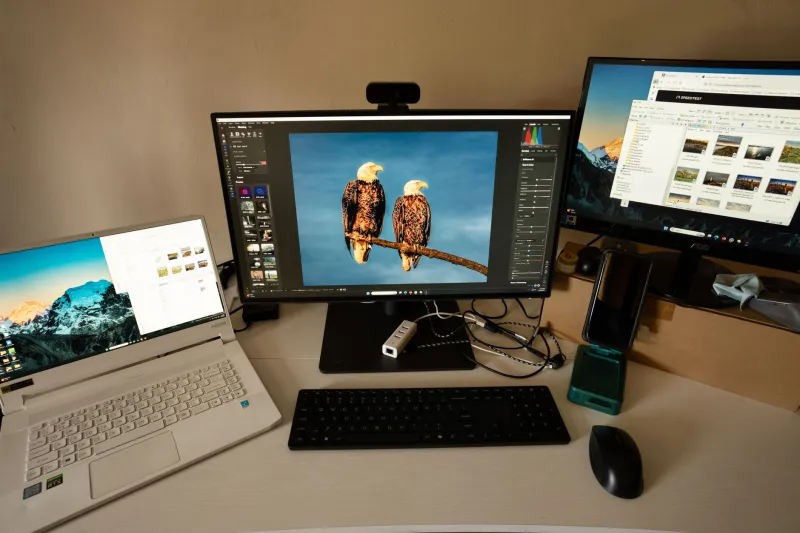
Performance settings also matter more than most people realize. Allocating the right amount of RAM to your applications, managing scratch disk space, and keeping your software updated can be the difference between a responsive canvas and a laggy, frustrating experience that interrupts your creative momentum every few minutes.
Hardware Investment: What's Actually Worth the Money
Not everyone has the budget to build a dream workstation overnight, and that's fine. But understanding which hardware upgrades have the most impact on a digital art workflow helps you prioritize when you do have money to invest.
RAM is almost always worth upgrading first. Working with large files in Photoshop or running multiple applications simultaneously on 8GB of RAM is genuinely painful. Jumping to 16GB or 32GB is often transformative.
Storage speed matters too — an SSD versus a traditional hard drive is a noticeable quality-of-life improvement for anyone working with large layered files.
For artists using a drawing tablet, the display quality of the tablet itself (if it's a screen tablet) or the monitor you're working on has a direct impact on color accuracy, which has a direct impact on client satisfaction when colors look different in print or on other screens. A calibrated monitor isn't a luxury for working professionals — it's a baseline.
The Confidence That Comes from Having Your Act Together
Here's the part nobody really talks about: having solid technical infrastructure doesn't just protect your work. It changes how you carry yourself with clients.
When someone asks if you can pull up a file from a year ago, and you can — immediately, without panic — that communicates professionalism without you saying a word. When you deliver files in the exact formats specified, organized and clearly named, clients notice. When your process runs smoothly, it shows in the quality of the final work too, because you weren't burning creative energy managing chaos.
The technical foundation isn't separate from the creative work. It's what the creative work rests on.
The artists who treat it as an afterthought are the ones who stay perpetually frustrated, perpetually scrambling. The ones who invest in it — even incrementally, even imperfectly — are the ones who build careers that actually last.
Start with the folder structure. Build from there.